Record the work
Raise an invoice, enter a bill, capture a receipt or bring in bank transactions.
Send an invoice, match a bank payment, work out VAT, run payroll and see where you stand. You enter each thing once.
 Your business and your books, working together
Real screens from Quarvex Accounting, shown with a test company's data.
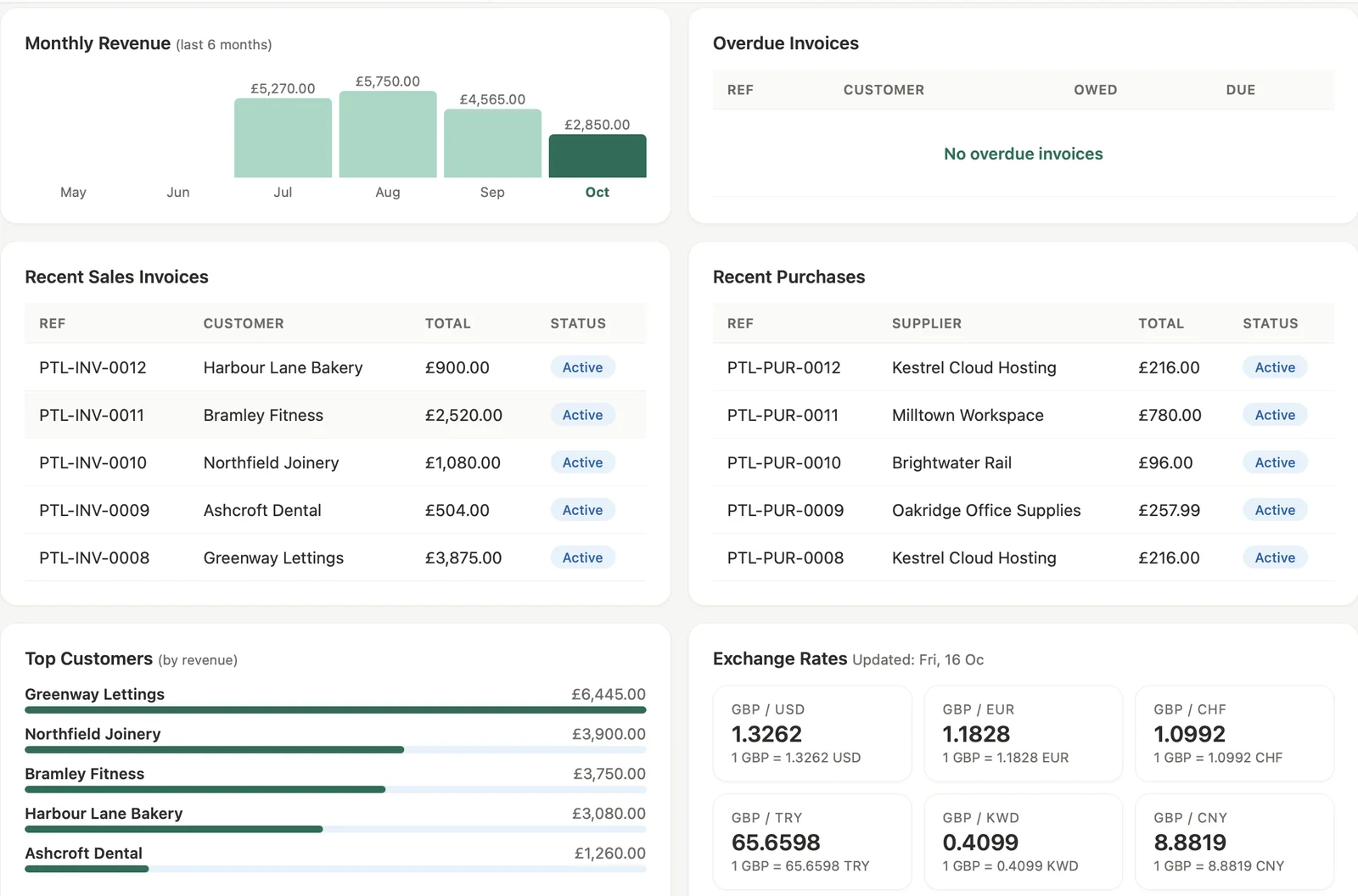
Revenue, overdue invoices, recent sales and purchases, and your best customers on one screen.

Every invoice with its VAT, total and status.
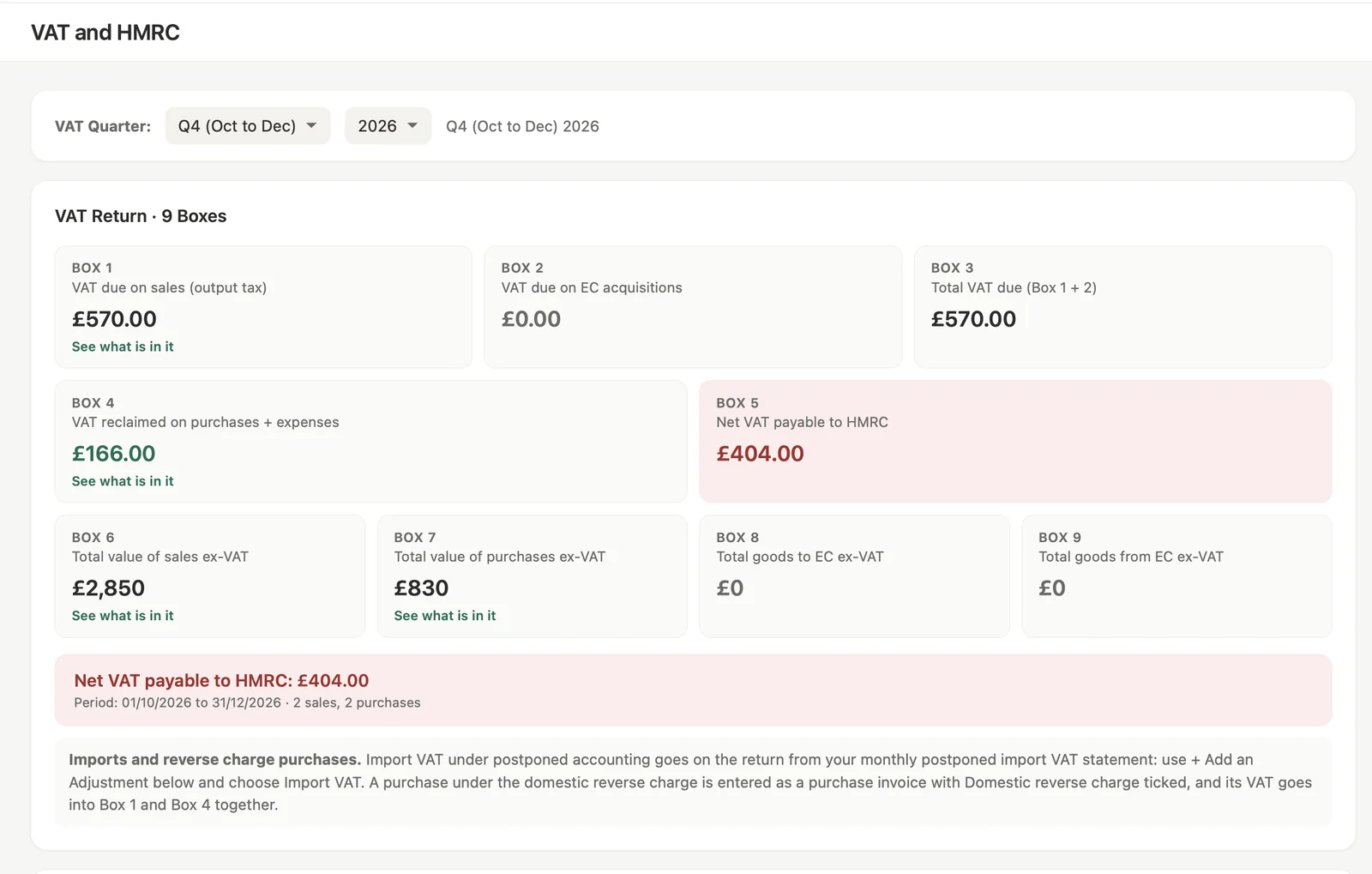
Boxes 1 to 9 from your books. Each box shows the transactions behind it.
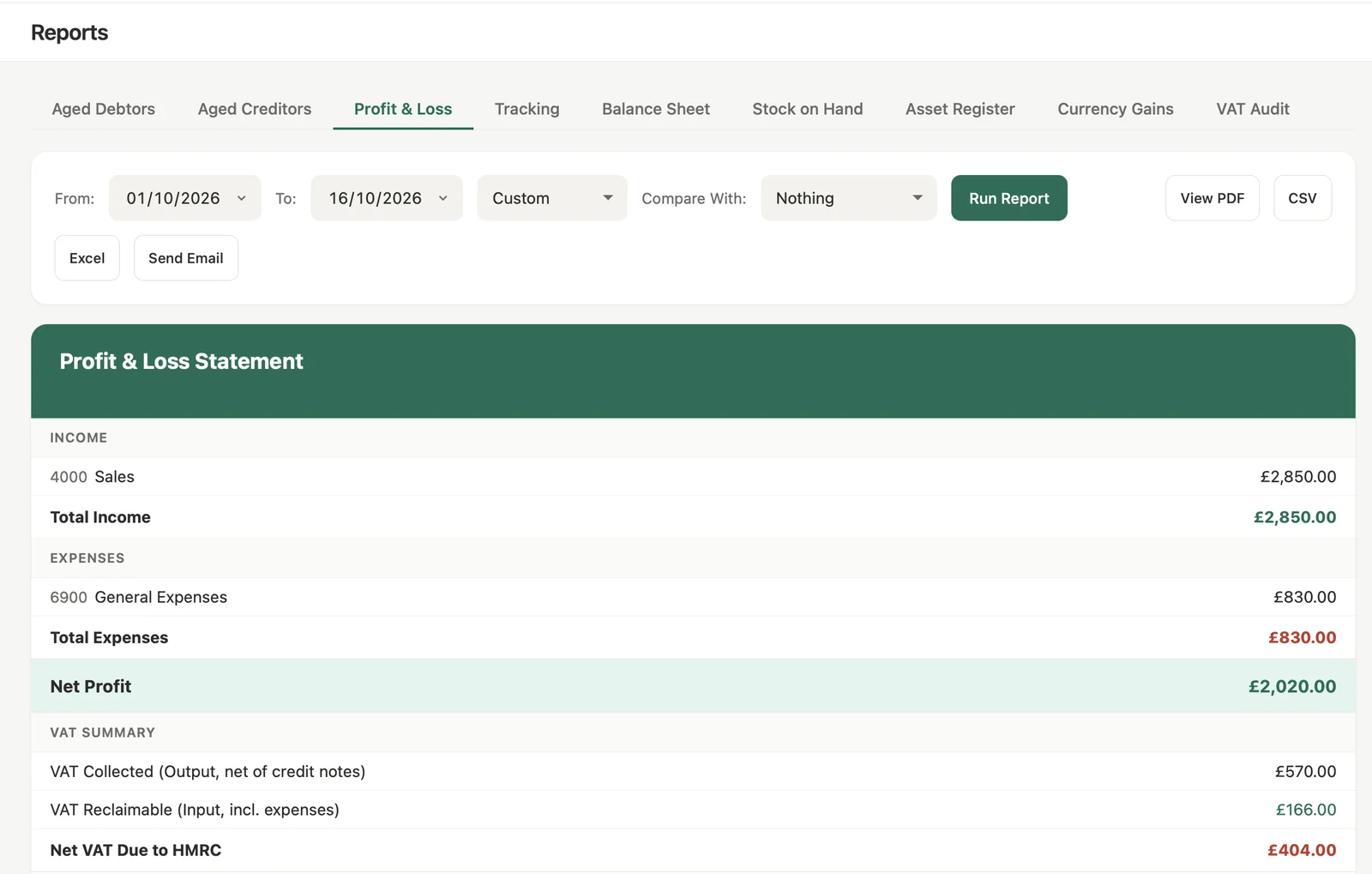
Profit and loss from the real journals, with the VAT summary underneath.
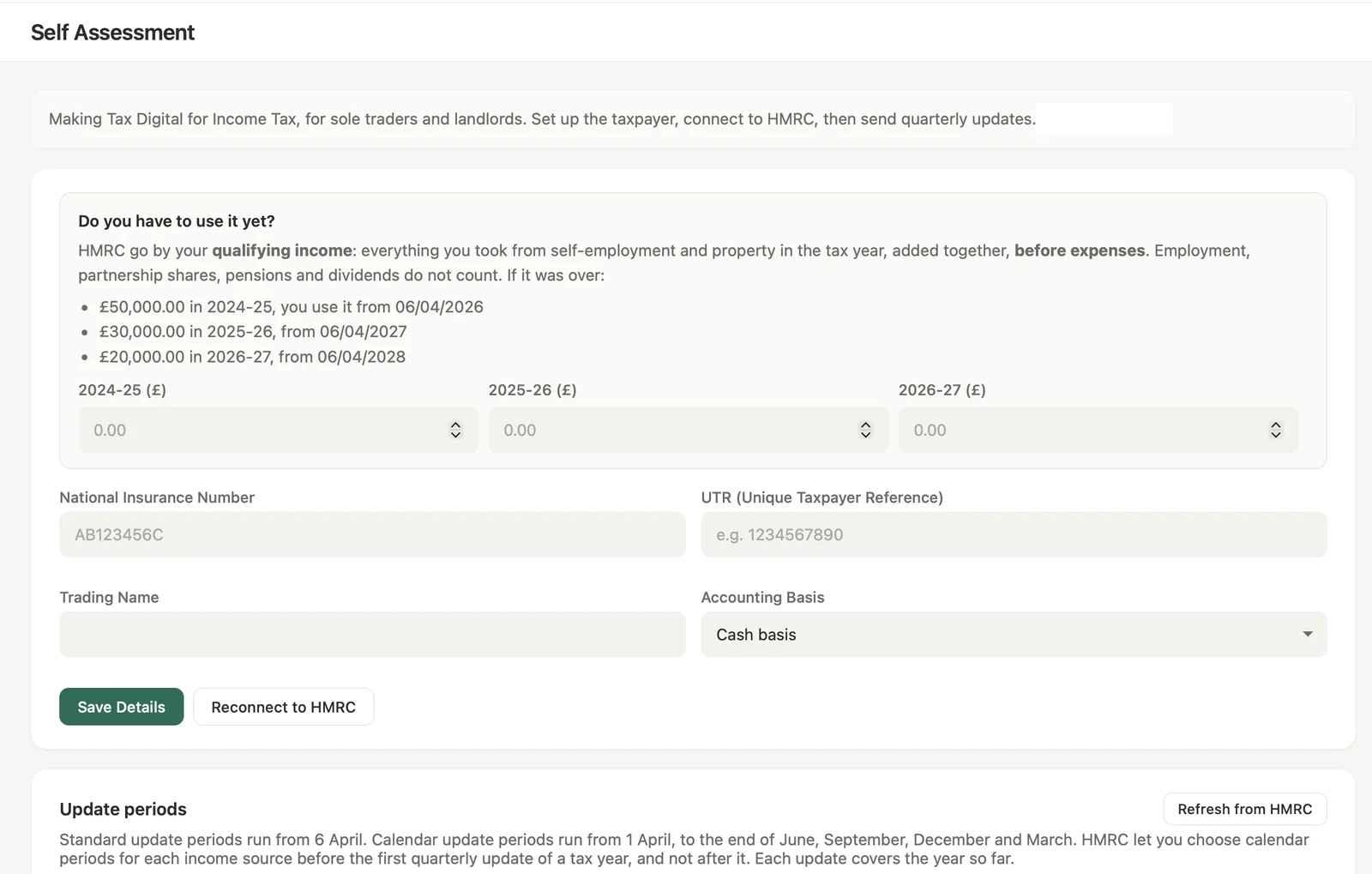
Making Tax Digital for Income Tax, for sole traders and landlords.
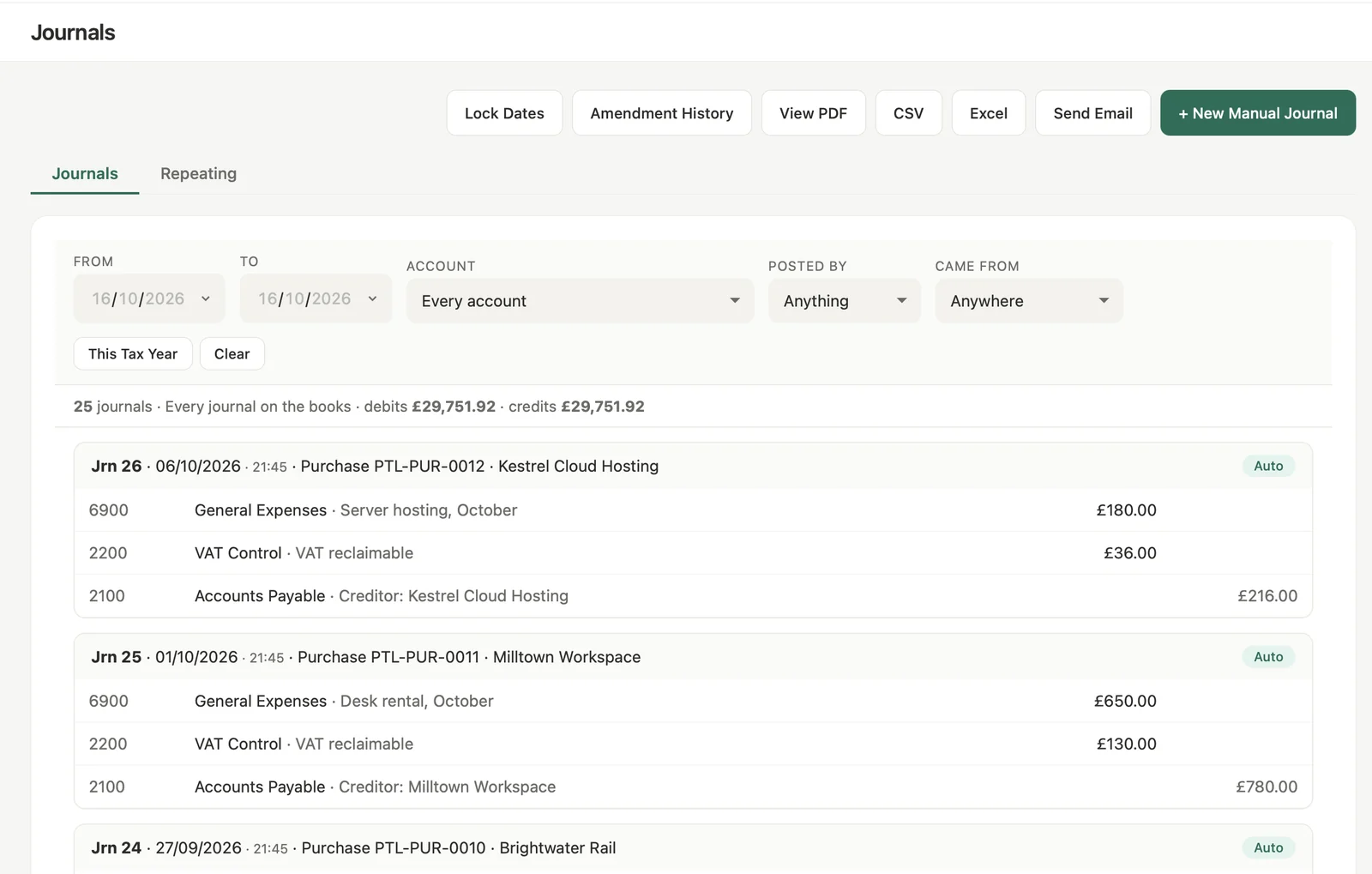
Every journal on the books, with where it came from.
Every activity has a place in the books, so the everyday work and the records behind it stay connected.
Raise an invoice, enter a bill, capture a receipt or bring in bank transactions.
Each entry posts to the ledger, ready to match and reconcile.
The same records feed VAT, payroll and tax filing.
Review debtors, creditors, profit and loss, balance sheet and cash position.
Send quotes, invoices and credit notes, repeat invoices for regular work and let customers pay by card. Balances, overdue amounts and payments stay together.
Example only. Not a screenshot of a live customer's account.
Connect a bank feed or import a statement, then review the suggested matches. You see what has cleared, what is outstanding and what needs a look.
Behind every sale are suppliers to pay, staff to pay, stock to count and tax to work out. Quarvex keeps all of it on one double-entry ledger. VAT, payroll and Self Assessment are built to HMRC's published specifications and tested against them. HMRC recognition is under way.
Connect to HMRC, work out boxes 1 to 9 from your books and check the transactions behind each figure before you submit. The receipt and filing history stay on record.
In the app: VAT / HMRC
Run weekly, fortnightly, four-weekly or monthly payroll. Check PAYE, National Insurance, statutory pay and student loans, make payslips and send RTI. The payroll journal posts to the ledger.
In the app: Payroll · Pensions · CIS
Each business gets its own Bills Inbox address. Forward supplier PDFs or photos and Quarvex reads the supplier, reference, dates and totals. Nothing posts until someone checks and approves it.
In the app: Purchases → Bills Inbox
Open-banking feeds, or CSV and OFX imports, bring transactions in. Suggested matches and rules speed up reconciliation, and you stay in control. The cash-flow forecast looks ahead from balances, amounts due and regular costs.
In the app: Money → Bank / Cash Flow
Buying stock updates its quantity and weighted-average cost. Selling it records the cost of sale beside the revenue. Fixed assets get a register, useful lives, monthly depreciation and recorded disposals.
In the app: Inventory → Stock · Fixed Assets
Reports come from the real journals, not separate totals. Aged debtors and creditors, profit and loss, balance sheet, stock valuation, VAT audit and more, ready to export for your adviser.
In the app: Insights → Reports
For eligible sole traders and landlords: income and expenses, quarterly Making Tax Digital updates, year-end adjustments and a tax estimate. It is a separate plan from full company accounting.
In the app: Self Assessment
Every transaction sits in a double-entry system with journals and a chart of accounts. Permissions and lock dates protect the records, and the activity history shows who changed what, when, and what it said before.
In the app: Accounting · Settings · Activity
Screen-by-screen steps for bank feeds, the Bills Inbox, VAT adjustments, payroll, reports and more.
Keep your own records, invite who you need and bring in your accountant when you want.
See business workflows and plans ↗Run the firm and its clients from one practice console: client switching, filing reminders, staff access and per-client billing.
See how the practice console works ↗Every transaction feeds the same books, so customer balances, VAT and reports stay in step.
When a customer pays, you match the money to the invoice in bank reconciliation, rather than recording a second sale. Balances and reports then show the payment.
Conceptual workflow, not a screenshot of the live Quarvex interface.